

Thinking Signal
Less manual work on quotations

Specialized AI Agents for Manufacturers

Let agents handle what slows your team down. Finance & AP, Sourcing, Procurement & Materials, Sales Order, Logistics & Freight, Data Extraction and Obsolescence agents help you move faster with less repetitive work and lower operating costs.

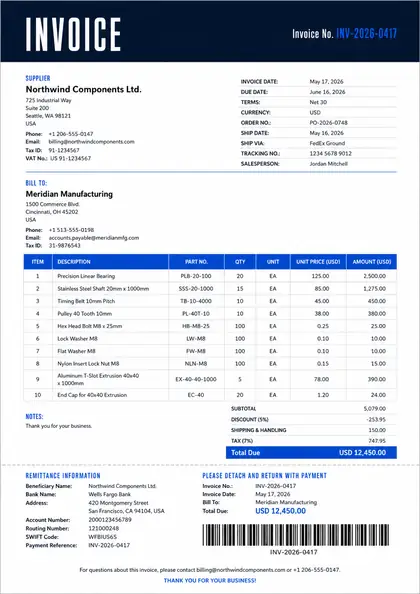
Supplier invoiceFinance · 1 page
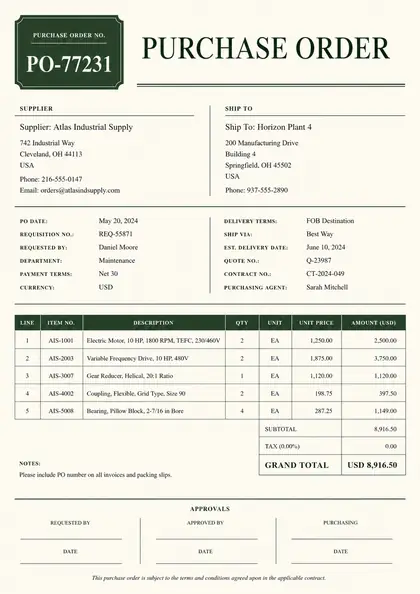
Purchase orderProcurement · 1 page
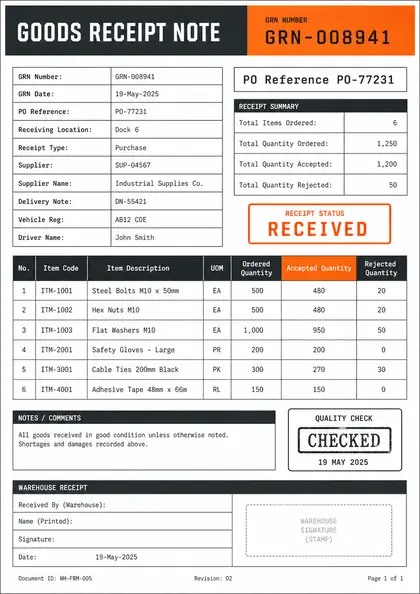
Goods receiptReceiving · 1 page
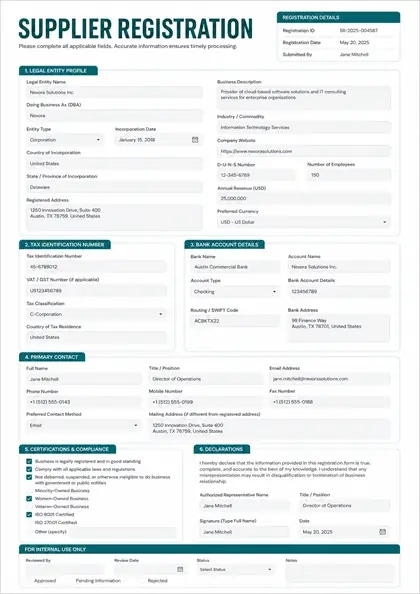
Supplier recordMaster data · 1 page
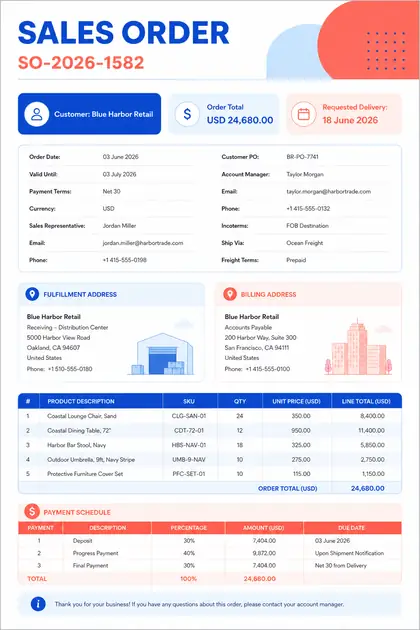
Sales orderOrder desk · 1 page
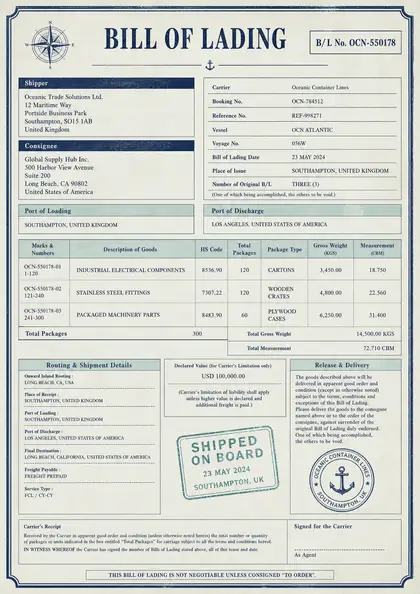
Bill of ladingLogistics · 1 page
SALES ORDER AGENTQuotation ready to send
CustomerLakeshore Fluid Systems
Quotation total$18,420.00
Waiting for your approval
EMAILS AND DOCUMENTS INThe next action, ready to approve
Meet the agents

Purpose-built for how teams actually work.

Seven agents, each aligned with a team and its responsibilities. They share documents and checks, and each action still has one owner.

Finance & AP Agent

Matches a supplier invoice to its purchase order and goods receipt line by line, and holds an invoice that bills above the order price before it is booked.

  • 3-way match
  • Duplicates
  • Totals and tax
From Outlook and PDF to SAP
Waiting for your approval

Sourcing Agent

Coming soon

Compares supplier quotations with the request on cost, specification and delivery, sets aside an offer it cannot compare fairly, and ranks the rest for the buyer.

  • Equal-terms totals
  • Spec gaps
  • Delivery dates
From Outlook and PDF to PDF and Comparison
Waiting for your choice

Procurement & Materials Agent

Follows a purchase from requisition to goods receipt, and ties each mill certificate to the batch that was received.

  • Order to receipt
  • Over-delivery
  • Mill certificates
From Outlook and PDF to SAP
Waiting for your approval

Sales Order Agent

Works a customer’s request from the first email to the order: recognises the customer, prices the lines from agreed prices, and drafts the reply in the customer’s thread.

  • Customer from sender
  • Agreed prices
  • Clarifications
From Outlook and PDF to Outlook and SAP
Waiting for your approval

Logistics & Freight Agent

Recomputes a freight invoice from the rate agreement, and flags any charge the agreement does not list.

  • Lane rates
  • Fuel surcharge
  • Proof of delivery
From Outlook and PDF to SAP
Waiting for your approval

Data Extraction Agent

Coming soon

Reads the documents you name with the fields you define, checks each value and shows where it was found, and exports the result.

  • Your fields
  • Value sources
  • CSV, JSON, Excel
From Outlook and PDF to Excel
Ready to export

Obsolescence Agent

Researches a spreadsheet of spare parts online and reports each part’s availability and lifecycle, with the pages that state it and up to two alternatives.

  • Lifecycle
  • Linked sources
  • Alternatives
From Excel to Excel
Report ready
Start with one teamRequest a demo

From inbox to system of record.

Work arrives by email, chat, file or drive. The right agent gathers what it needs from your records and prepares the next step. Once your team approves, it lands in the systems you run.

1 Work comes in

  • Email
    OutlookGmail
  • Chat
    WhatsAppTeams
  • Files
    PDFExcel
  • Drives
    SharePointGoogle DriveOneDriveDropbox

2 An agent prepares it

Thinking Signal
  • Finance & AP
  • Sourcing
  • Procurement
  • Sales Order
  • Logistics
  • Data Extraction
Your team approves every action

3 Lands once approved

  • ERP
    EpicorInforOracle NetSuiteAcumaticaSAPMicrosoft Dynamics 365SageSpireDDI System
  • Accounting & CRM
    QuickBooksHubSpot
  • Master data
    Informatica

Works with the systems you already run.

ERP, email, documents, shared drives, accounting, CRM and master data. Each connection is set up and tested with your team.

ERP9
  • EpicorProphet 21 · Eclipse
  • InforCSD
  • Oracle NetSuite
  • Acumatica
  • SAPS/4HANA · Business One
  • Microsoft Dynamics 365Business Central
  • Sage100 / 300
  • Spire
  • DDI SystemInform
Email
OutlookGmail
Documents
PDFExcel
Shared drives
Google DriveSharePointOneDriveDropbox
Accounting & CRM
QuickBooksHubSpot
Master data
Informatica
Don’t see yours? Ask us

From request to approved action.

Reading the document is where an agent starts, not where it stops. It gathers and checks; your team makes the call.

  1. 01

    Receives the work

    A customer’s request, a supplier invoice, a delivery note. By email, chat or file.

  2. 02

    Checks it against your records

    Customers, prices, orders, receipts and stock, under the rules your team sets.

  3. 03

    Prepares the action

    A clarification, a quotation, an accounting entry or a disputed charge, each linked to its sources.

  4. 04

    You approve

    Nothing is sent or entered until the right person approves it.

For example

A customer emails a request for quotation

  1. Read the email and its two-page RFQ
  2. Identified the customer from the sender
  3. Priced two of three lines from agreed prices
  4. Line 3 is missing the pump’s duty point
  5. Drafted a clarification in the customer’s thread
Waiting for your approval

Built for governed business work.

From the first email to the final entry, every case stays visible, reviewable and accountable.

Approval

People approve every action

Customer emails, supplier requests and system entries wait for a person before they go anywhere.

Evidence

Every action traces to its source

Each prepared action links to the emails, documents and records it was built from.

Ownership

One owner per action

Agents share documents and checks, but each action has one owner, so nothing is sent or entered twice.

Audit

A complete history

Who approved what, when, and on which evidence, for every case.

Security

Protection by design

Shape the work around your security and data requirements.

Deployment

Enterprise deployment

Plan the operating model around your network and residency needs.

Agents for manufacturing teams, answered.

What the agents do, where people stay in control, and how an evaluation starts.

What does Thinking Signal do?

Thinking Signal builds AI agents that help manufacturing teams handle quotations, orders and invoices with less manual data entry and checking. Each agent is aligned with a department. Give it a business task and it gathers the emails, documents and records the task needs, checks the details against your rules, and prepares the next action for a person to approve.

How is this different from document processing?

Document processing stops once the fields are extracted. Our agents start there. The Sales Order Agent does not just read a request for quotation: it identifies the customer, matches the products, finds missing specifications and prepares either a clarification or a quotation. The documents are the evidence; moving the work forward is the job.

Which agents are available?

Finance & AP, Procurement & Materials, Sales Order, and Logistics & Freight run in demonstrations today. Sourcing, which prepares supplier RFQs and compares offers, and Data Extraction, which provides configurable extraction for the use cases you define, are in development.

What is three-way matching?

Three-way matching compares an invoice with the purchase order it bills against and the goods receipt that confirms delivery. Quantities, prices and totals must agree within tolerance before the invoice is approved for payment. The Finance & AP Agent performs the match and shows which line fails when the documents do not agree.

Does it work with SAP, NetSuite, Epicor and other ERPs?

The agents read the records those systems hold, such as customers, materials, prices, purchase orders and receipts, and prepare the entries your team approves. Each production connection is configured and tested with your team as a separate step. Demonstrations run against a simulated SAP, so nothing is written to a live ERP during an evaluation.

Do people still approve the work?

Yes, by design. Agents prepare and check; your people keep the commercial judgment and the customer and supplier relationships. Every customer email, supplier request and system entry waits for approval, and every approval is recorded with the evidence behind it.

How do we start an evaluation?

Request a demo and we will walk through an agent on the work your team handles: quotations, orders or invoices. An evaluation can then run on a representative sample of your own emails and documents, with a data processing agreement signed before anything is shared.

Put an agent to work.